


Streamlined HMIs Do More with Less

The phrase “less is more” has been a major part of human-machine interface (HMI) designs for several years as developers traded multiple knobs and buttons for cleaner input techniques. However, the push to simplify the control’s look and feel is offset by the need to let drivers and operators manage more things, often with redundant input techniques.

The growing number of electronic features and functions comes as vehicle buyers demand controls that can be learned quickly. This need to manage more complex tasks without much training marks a major change from the era when operators slowly learned how to maneuver mechanical controls. New designs will need to further simplify the vehicle environments designed to provide more digital functionality.
“Future commercial-vehicle HMIs, whether for trucks or off-highway vehicles, will have to do more with less,” said Michael Jendis, Executive Director, Commercial Vehicles, at Preh. “First, we focus on multi-use components which can be used for several tasks like functional bookmarks or an i-drive controller. Secondly, we enlarge the functionality of adaptive elements like touch displays so they can be used for more functions and tasks. As a third point, we introduce new elements like finger navigators, also called touch control buttons, to get more done with less.”
New approaches can simplify many tasks, but not all drivers or equipment operators want to manage functions the same way. Equipment operators often have preferred ways of doing things, and they’re often loathe to change. Age and skill levels also play a role in user preferences.
“Today we see a wide range of operators,” Jendis said. “On one hand, digital natives require the machines that are connected to their smartphone, and in the best case to be driven like a video game. On the other hand, customers who are entering their third cabin generation of their preferred brand expect the controls will be where they have been ever before.”
Many design teams are responding by offering different ways to manage the same operations. For example, touch screens can often be controlled by either a touch input or knob/button control. Design tool suppliers are helping engineers create alternative controls that improve operation, not make it more confusing.
“Our HMI tool supports multimodal HMIs—all inputs and outputs can be used in parallel,” said Matthias Hampel, Head of Product Group, User Experience, Elektrobit. “Therefore, the operators are provided the ability to choose the input method they prefer (hard key vs. touch screen vs. speech).”
Voice control and active displays
Speech control has not been part of commercial-vehicle HMIs even though its usage in passenger cars has soared. Though recognition levels have been improved significantly, it’s been ignored for noisy commercial vehicles. However, some truck designs are beginning to include voice controls.
“We are also seeing adoption and evaluation of speech-recognition systems to keep operators focused and avoid distractions that may cause accidents,” Hampel said. “Recent cabin designs in trucks dramatically reduce cabin noise, which makes possible voice recognition, even in noisy working environments.”
In complicated commercial vehicles, it’s important for drivers and operators to know that their inputs have been accepted by the control system. That’s prompting some HMI developers to move away from passive touch displays, which don’t provide any feedback, to active displays that let people know their touch made connection. That’s especially important in vehicles where operators often change position, for example with swinging or rotating seats.
“Active technologies like haptic feedback, force sensing and acoustic feedback will help operators to use adaptable display-HMIs for tasks which currently can’t be controlled by a screen,” Jendis said. “With force sensing and haptic feedback as two independent sensing principles, we can safely execute more functions with an active HMI surface. One-look operation and even blind operation can be supported.”
Color displays, smartphones and audio alerts bring many benefits, but they also bring distraction. Developers are adding responses for touch input, but they’re also eliminating responses that aren’t deemed critical. Safe operation is an underlying requirement for every element in the control architecture.
“One area we’re focused on is reducing driver or operator distraction by enabling the HMI to be modified, as appropriate, to accommodate the situation and operator need,” Hampel said. “For example, although vehicle functionality is getting more and more complex, this complexity can be hidden from operator view. The HMI will suppress unimportant feedback or remove distracting and unnecessary elements.”
More From SAE Media Group
Off-Highway Engineering
Not Quite Your Father’s Cab
Off-Highway Engineering
UX Designers and “Engineering Chefs” Cook up Unique User Interfaces
Autonomous Vehicle Engineering
Sly HMI
Automotive Engineering
CES 2024: VW, Cerence Integrate ChatGPT in IDA Voice Assistant
Off-Highway Engineering
Softing Supports a Standardized Diagnostic Protocol
Automotive Engineering
Faurecia Creates ‘Personal Bubbles’ for AVs
Off-Highway Engineering
Shifting Design of Autonomous Architectures
Off-Highway Engineering
Next-Gen HMI Crucial to Increasing ADAS Efficacy
Off-Highway Engineering
New CM Labs Excavator Simulator Training Offers GPS Guidance, HMI Experience
Off-Highway Engineering
EAxles Gain Traction for Truck Electrification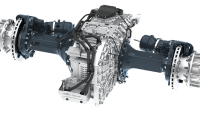
Off-Highway Engineering
Securing CAN Networks in Commercial Vehicles
Off-Highway Engineering
Augmented, Mixed and Virtual Reality Transform Heavy-Vehicle Engineering
Off-Highway Engineering
Over-The-Air Affair

Off-Highway Engineering
Argus Cyber Security Responds Quickly to New Threats Via Over-The-Air Updates
Automotive Engineering
Wireless Road Charging for EVs to Debut in 2023
Off-Highway Engineering
Mercedes-Benz Refurbishes ‘Like-New’ High-Voltage Batteries for Electric Trucks
Off-Highway Engineering
Kodiak Adapts Autonomous Tech for Military Vehicles
Automotive Engineering
Nvidia Partners with AdaCore to Secure Self-Driving Firmware
Off-Highway Engineering
Eaton and BAE Gear up a New Electrified Truck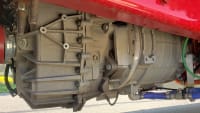
Off-Highway Engineering
ACT Expo: Honda Shows Class 8 Hydrogen Fuel-Cell Truck Concept
Off-Highway Engineering
REE Unveils P7-C Chassis Cab at ACT Expo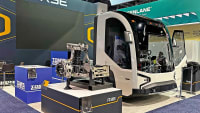
Off-Highway Engineering
Freightliner Unveils Latest Cascadia Class 8 Truck
Autonomous Vehicle Engineering
Platform-Agnostic Interface Aims to Accelerate Truck Autonomy
Autonomous Vehicle Engineering
Building Geofences to Speed AV Adoption
Autonomous Vehicle Engineering
Kontron’s Embedded Boards Help Drive Autonomy Forward
Off-Highway Engineering
Liebherr Deploys Autonomous Mining Truck Fleet
Off-Highway Engineering
Leak Testing of Commercial-Vehicle AC Systems Critical as Move to HFO Refrigerants Looms
Off-Highway Engineering
Automating Machines for Off-Highway Environs Is Simple, Yet Difficult
Automotive Engineering
Cybersecurity Firm Enlists AI in Battle as Threats Increase
Top Stories
INSIDERDefense
 New Raytheon and Lockheed Martin Agreements Expand Missile Defense Production
NewsAutomotive
 Ford Announces 48-Volt Architecture for Future Electric Truck
INSIDERManufacturing & Prototyping
 Active Strake System Cuts Cruise Drag, Boosts Flight Efficiency
ArticlesTransportation
 Accelerating Down the Road to Autonomy
INSIDERMaterials
 How Airbus is Using w-DED to 3D Print Larger Titanium Airplane Parts
Road ReadyTransportation

Webcasts
Electronics & Computers
 Cooling a New Generation of Aerospace and Defense Embedded...
Power
 Battery Abuse Testing: Pushing to Failure
Connectivity
 A FREE Two-Day Event Dedicated to Connected Mobility
Automotive
 Quiet, Please: NVH Improvement Opportunities in the Early Design Cycle
Transportation
 Advantages of Smart Power Distribution Unit Design for Automotive &...
Aerospace
 Sesame Solar's Nanogrid Tech Promises Major Gains in Drone Endurance